
Admin Settings Information Architecture (IA) & Redesign
Overview & Challenge
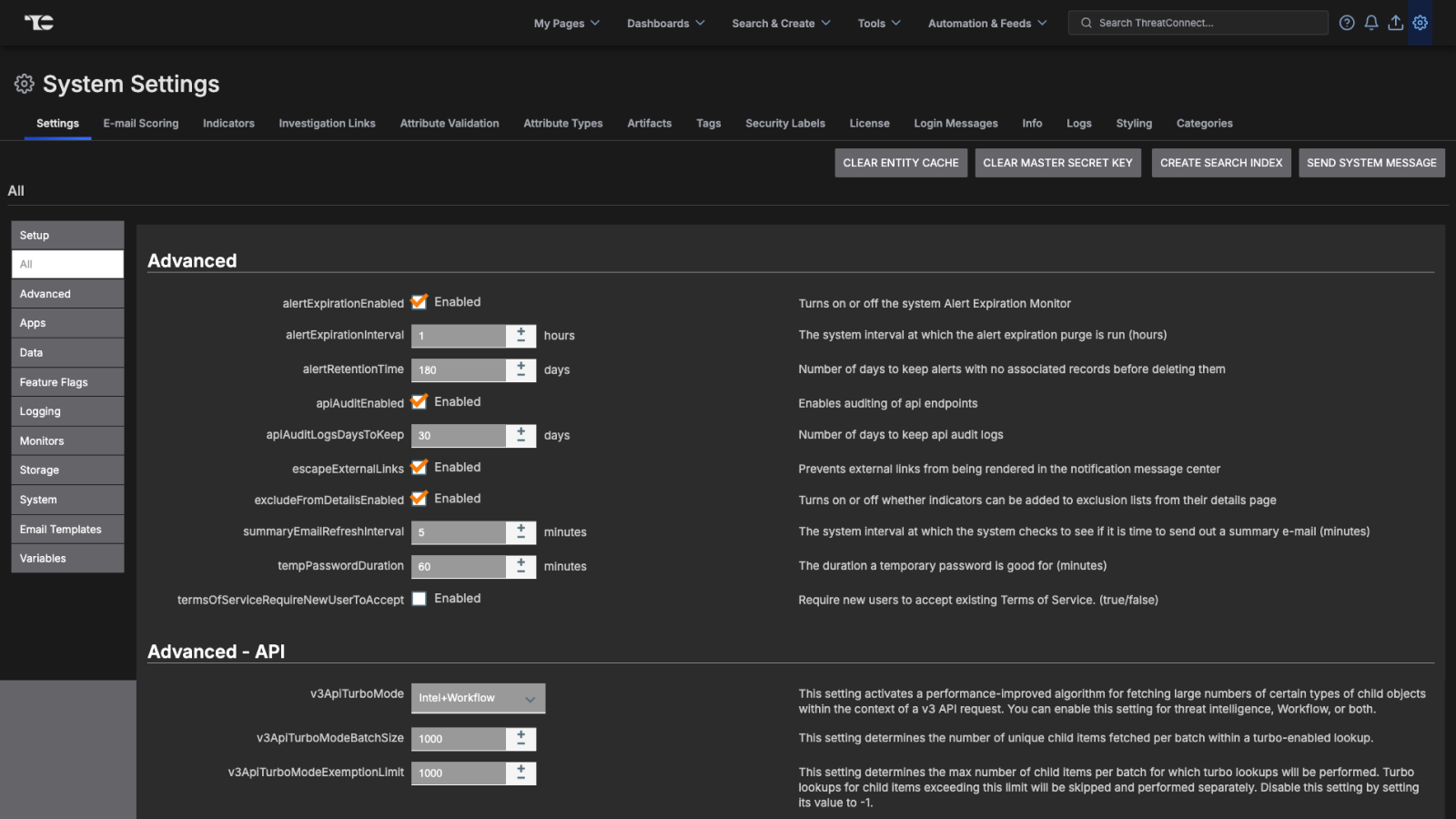
The administrative parts of the ThreatConnect threat intelligence platform (TIP) were developed a decade prior to redesign, in a way that was not scalable or sustainable. Additional settings were largely added in an ad-hoc manner, causing the settings to become bloated and cumbersome for internal and external users.This herculean endeavor was undertaken by both developers and UX, with UX completely reimagining the IA and design.
Created while working at ThreatConnect
Details
Assessing the Situation
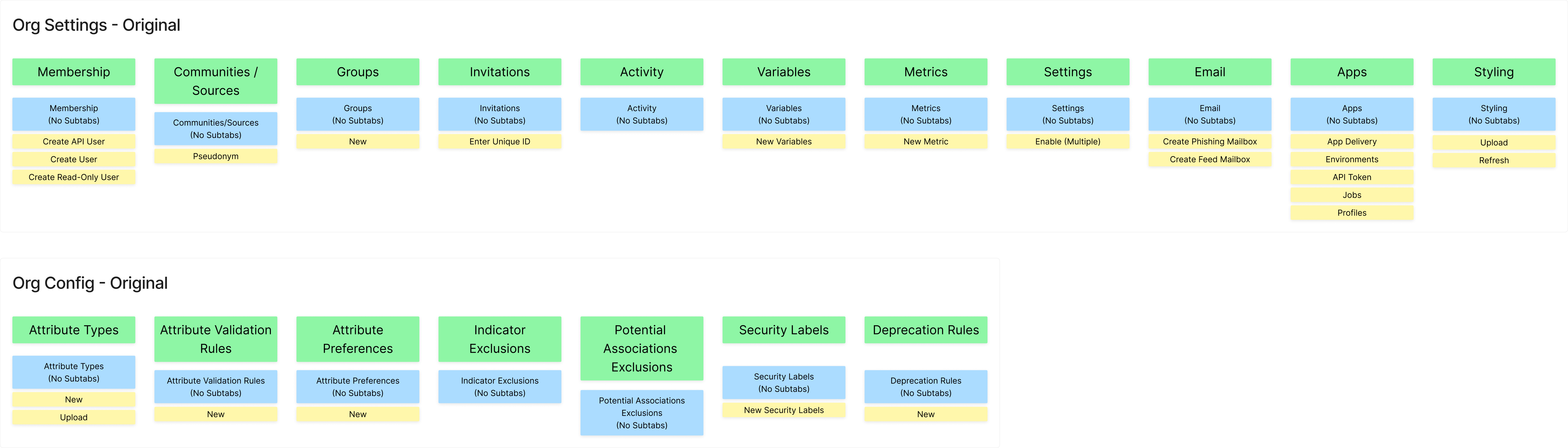
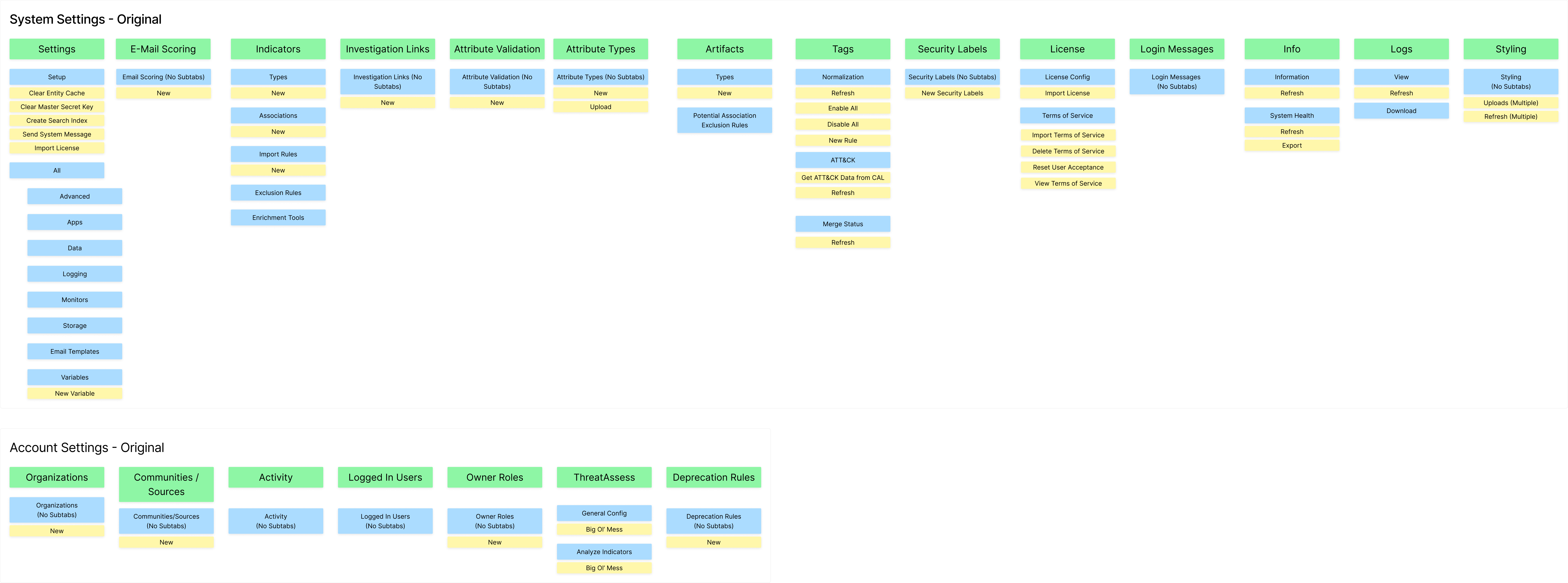
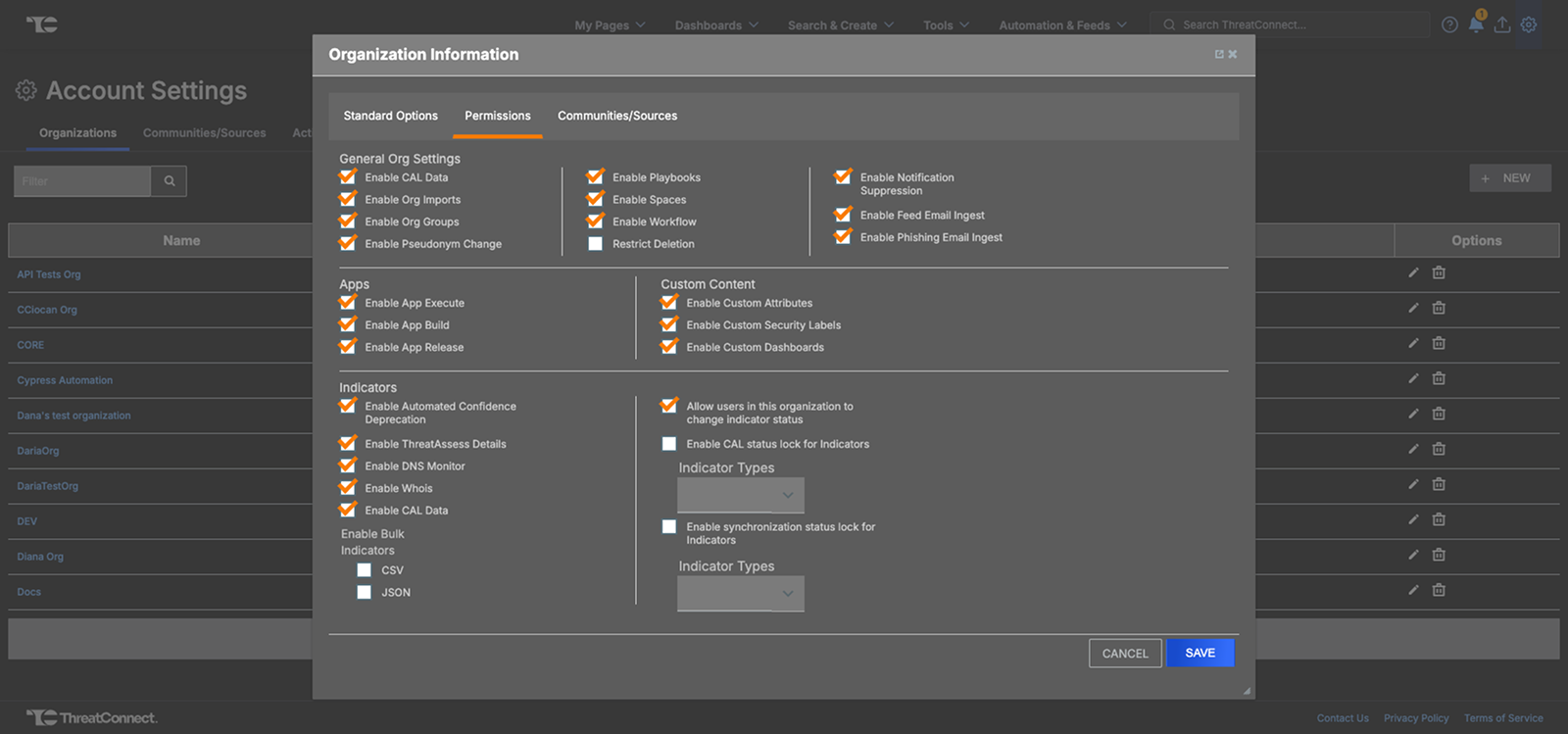
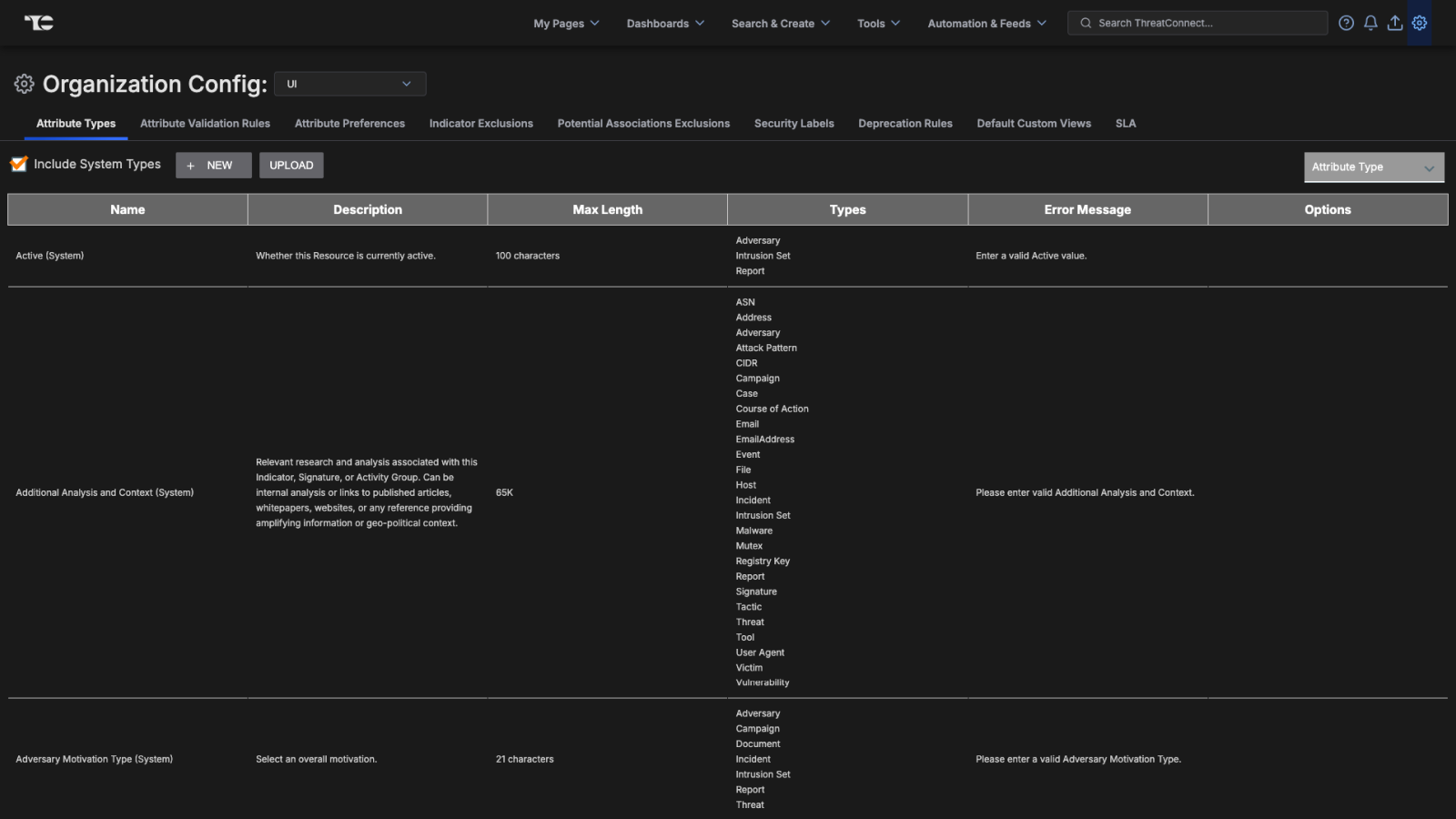
The main settings areas were as follows: Organization Settings, Organization Config, System Settings, and Account Settings. Organization Settings & Organization Config were both settings areas for org admins. Organization Settings had 11 main tabs and Organization Config had 7 main tabs. System Settings and Account Settings were both settings areas for system admins. System Settings had 14 main tabs and 33 subtabs and Account Settings had 7 main tabs and 8 subtabs. The assessment gave us the main focus of reducing the number of main tabs, which would in turn reduce cognitive load.
Collecting User Feedback
Feedback from the internal Customer Success Team and our customers provided a common pain point centered around Organization Settings and Organization Config both being locations for org admin settings. Data around user clicks in the platform further verified confusion with regard to this, with users consistently and constantly moving between both locations. A similar pain point related to System Settings and Account Settings was also identified. This gave us necessary data to focus on consolidation of the different settings.
An Improved Information Architecture
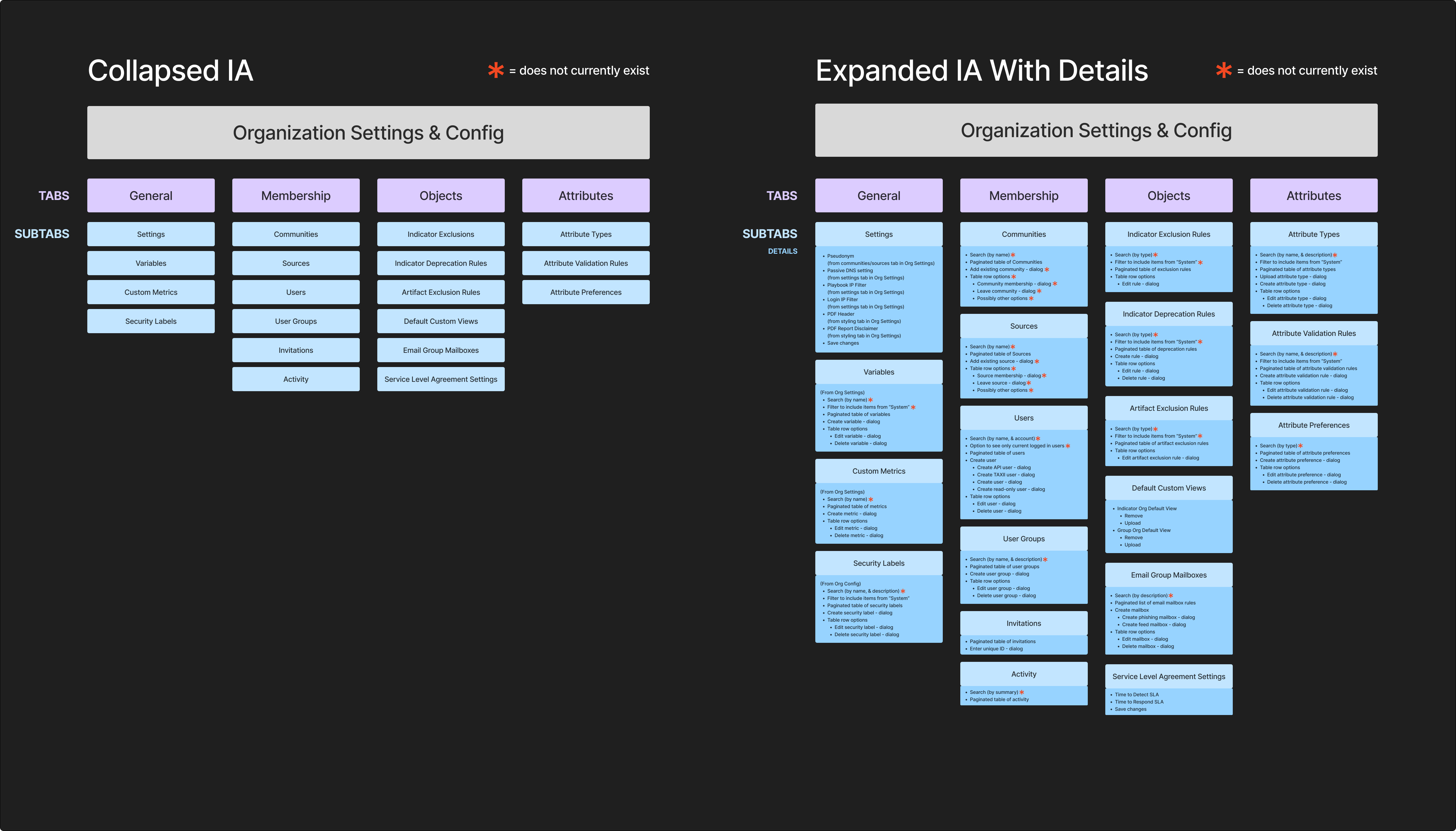
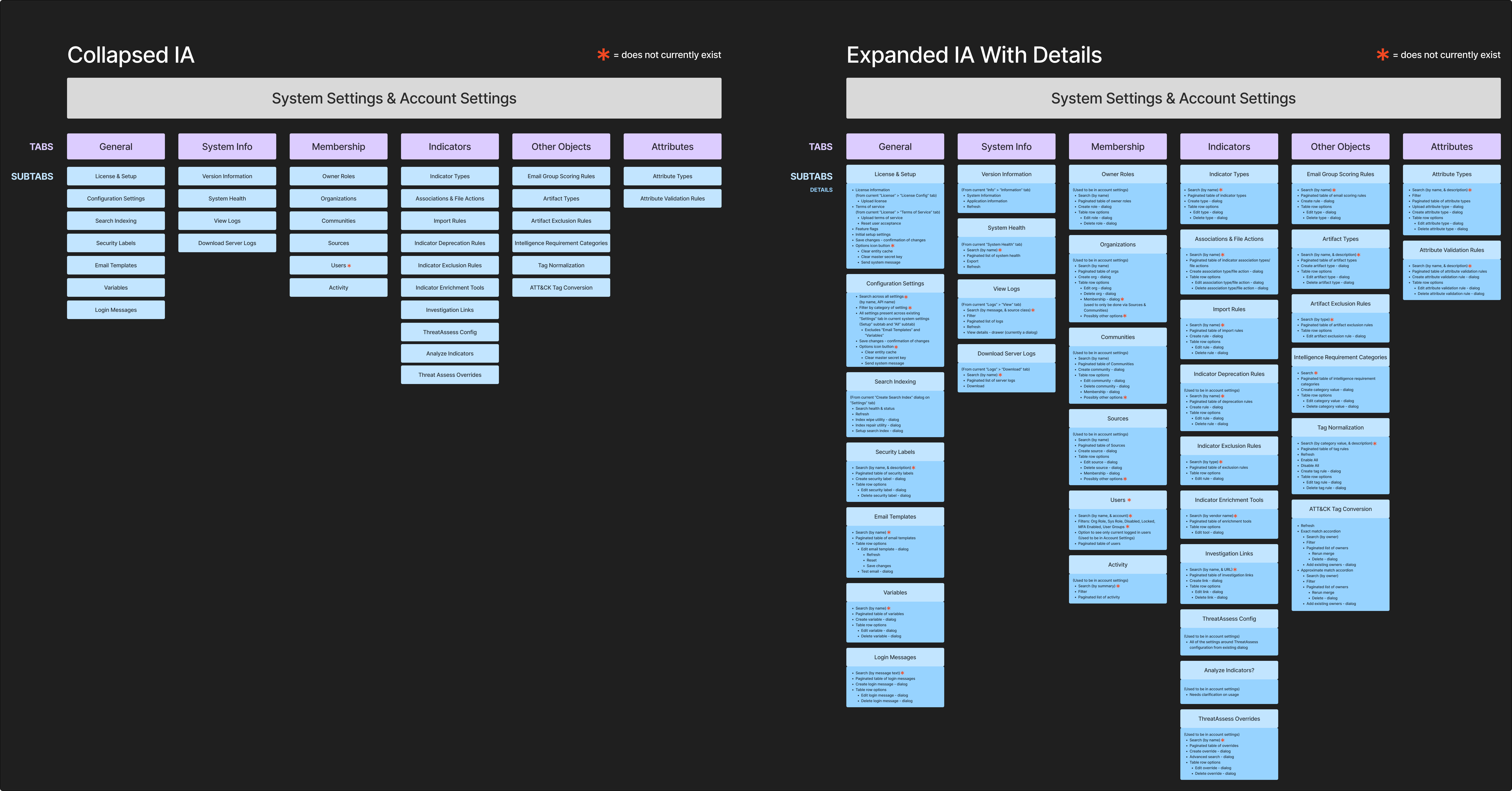
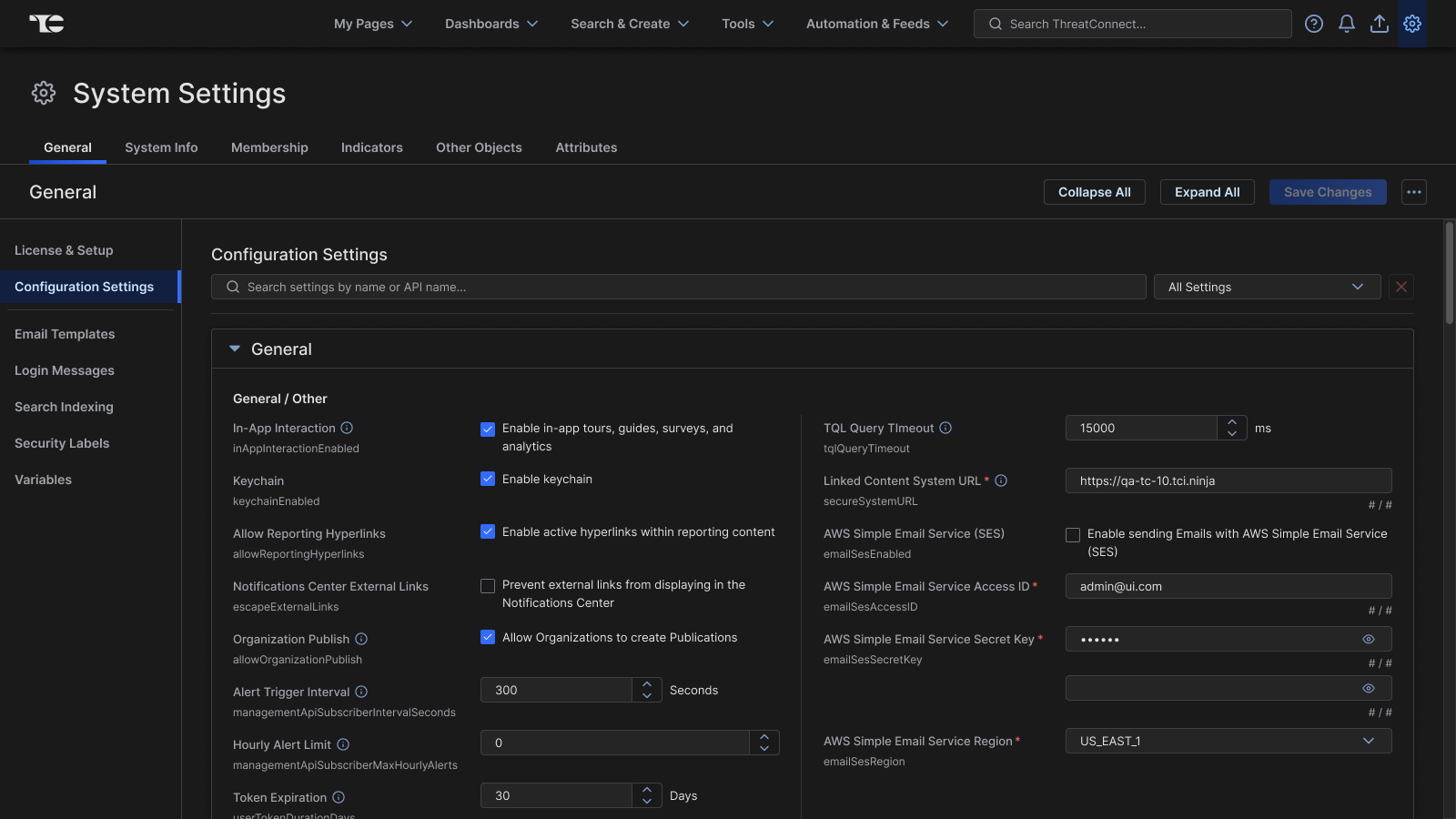
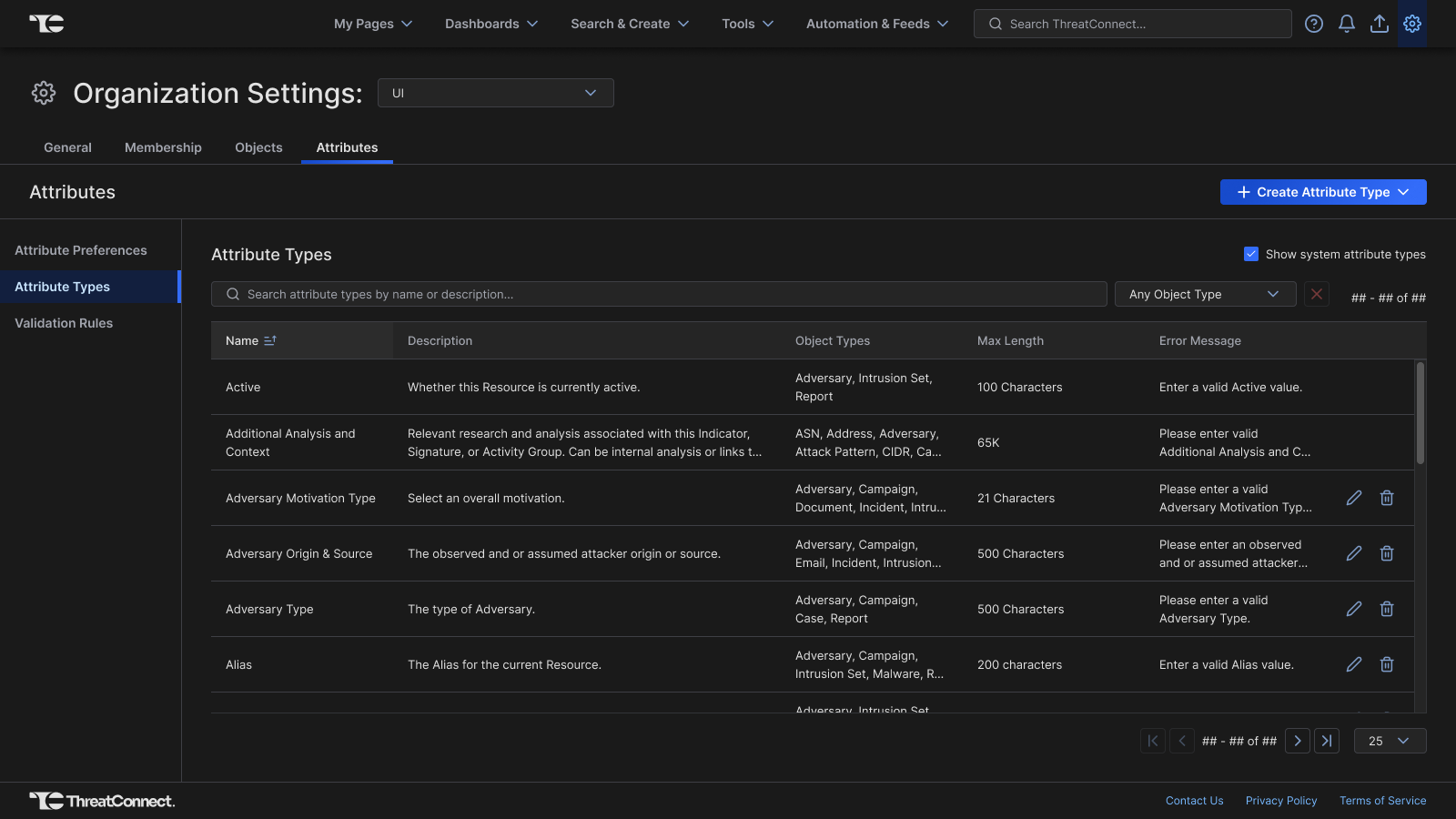
The first proposed change based on user feedback was consolidation of the Organization Settings and Organization Config into a single combined location for all org admin settings, and a consolidation ofSystem Settings and Account Settings into a single location for all system admin settings. Afterward the 17 main tabs of org admin settings and the 21 main tabs and 41 subtabs of system admin settings were reorganized into a digestible format. It was decided that having fewer broad top-level tabs would allow us to build for scalability with more focused subtabs living under the main tabs.
We landed on having the following 7 top-level tabs for the system admin settings:
- General
- System Info
- Membership
- Indicators
- Other Objects
- Attributes
To have a similar hierarchy, we landed on the following 4 top-level tabs for the org admin settings:
- General
- Membership
- Objects
- Attributes
We reviewed the proposed information architecture with the internal Customer Success team. They found the new organization of pages to be much more intuitive and that it addressed user pain points that they had observed.
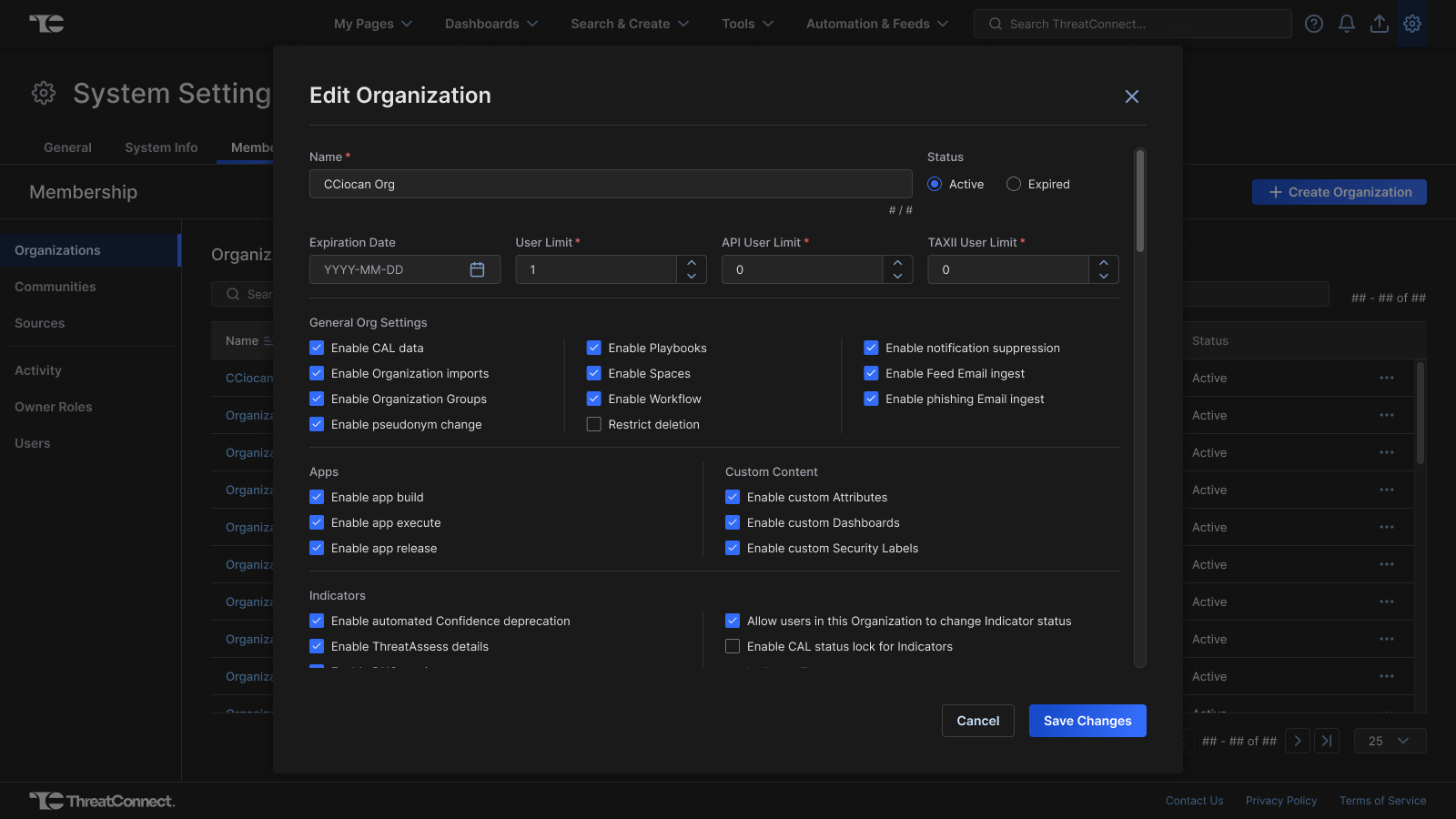
Redesigning Settings to Align with Design System
Next, 54 pages needed to be redesigned to align with the design system and add usability improvements, with many of these pages lacking a search or filter mechanism. The Customer Success team was regularly consulted during this process, with iterations occurring based on their feedback as this work was completed.