
ThreatConnect
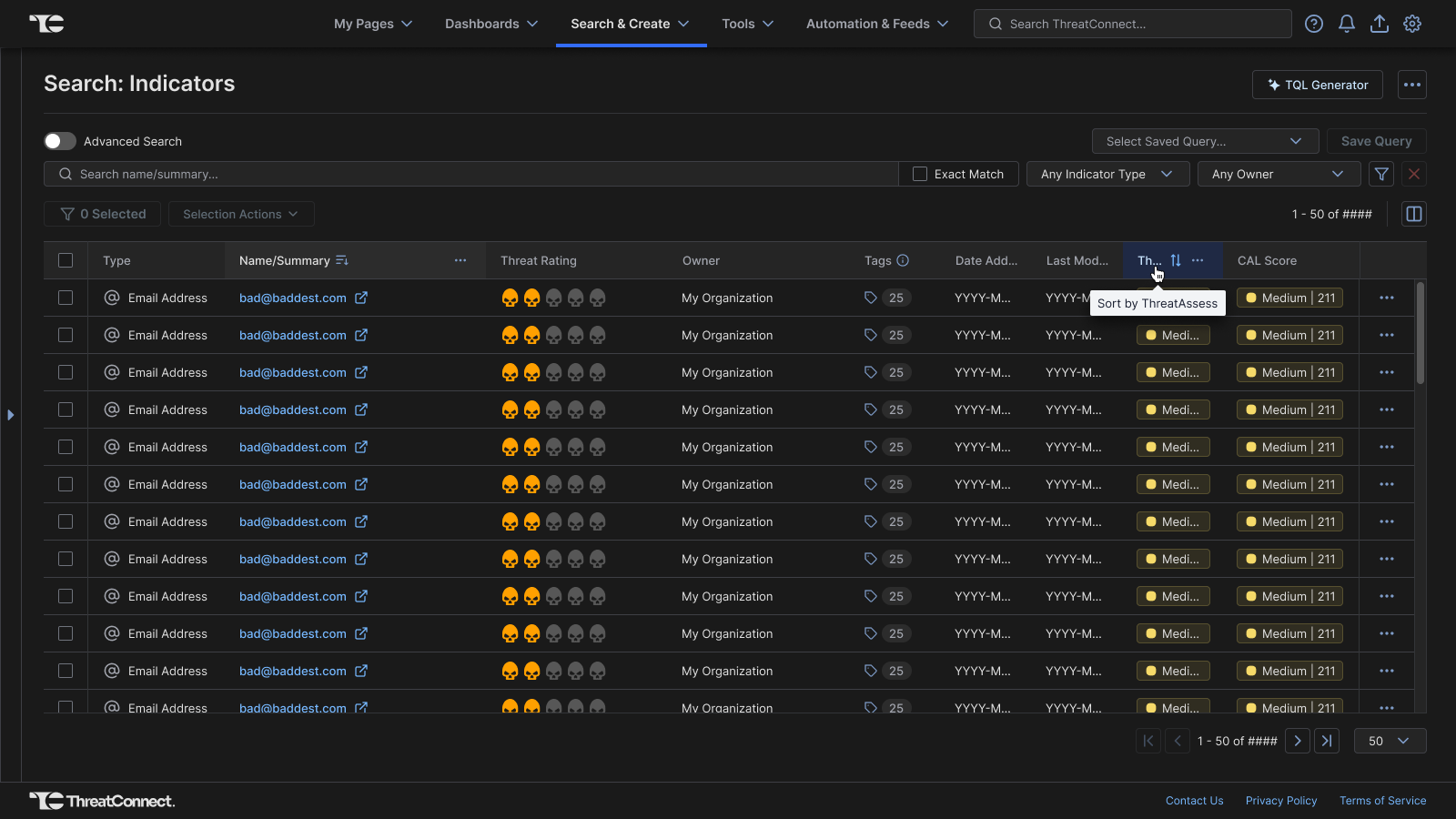
Table Column Resize / Reorder
Role
Co-lead Designer on Project
Cross-Functional Partners
Frontend Engineers, & Product Management
Core Focus
Micro-interactions, Layout Autonomy, Accessibility, & Layout State Caching
Overview & Challenge
Project Summary
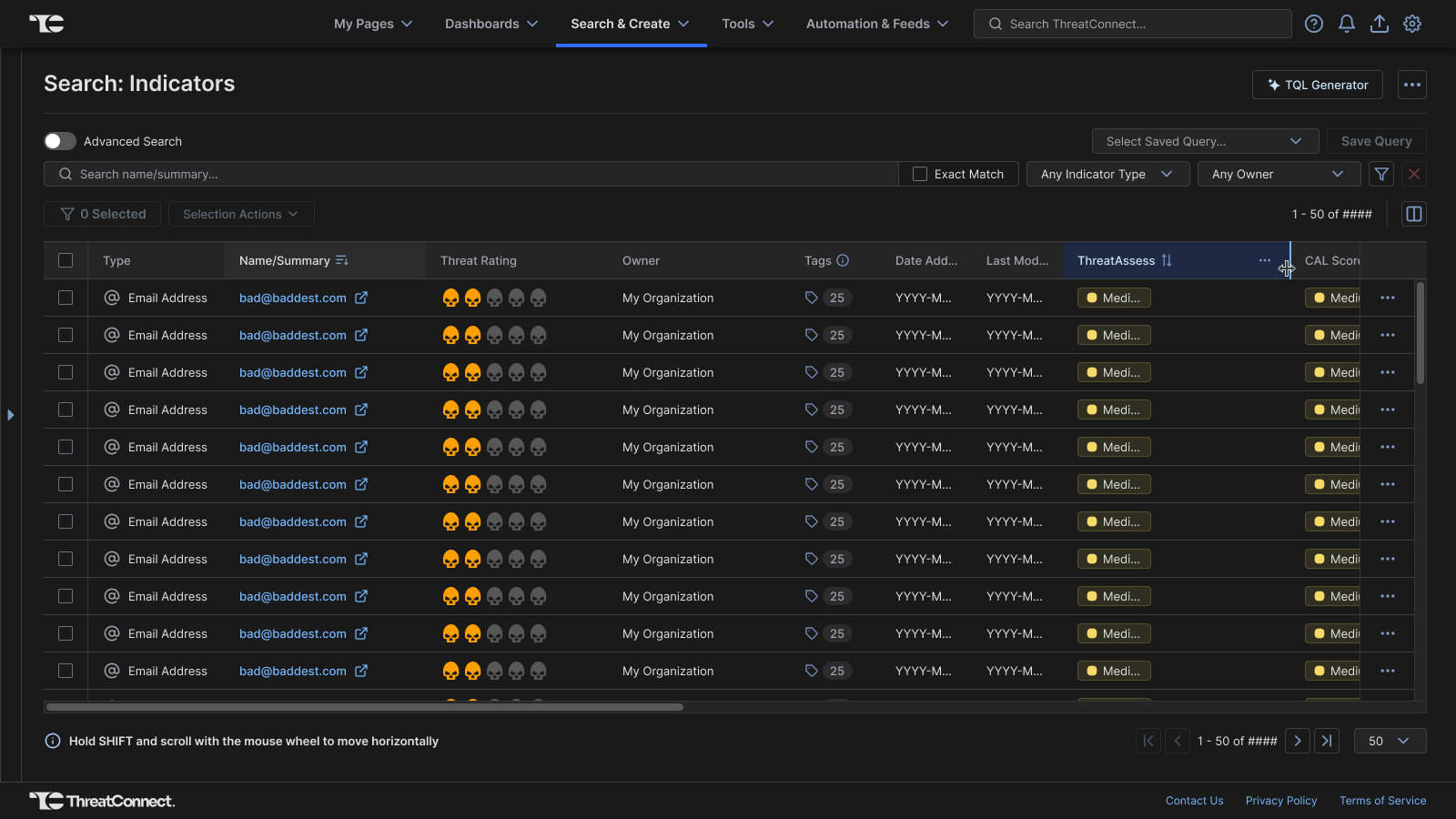
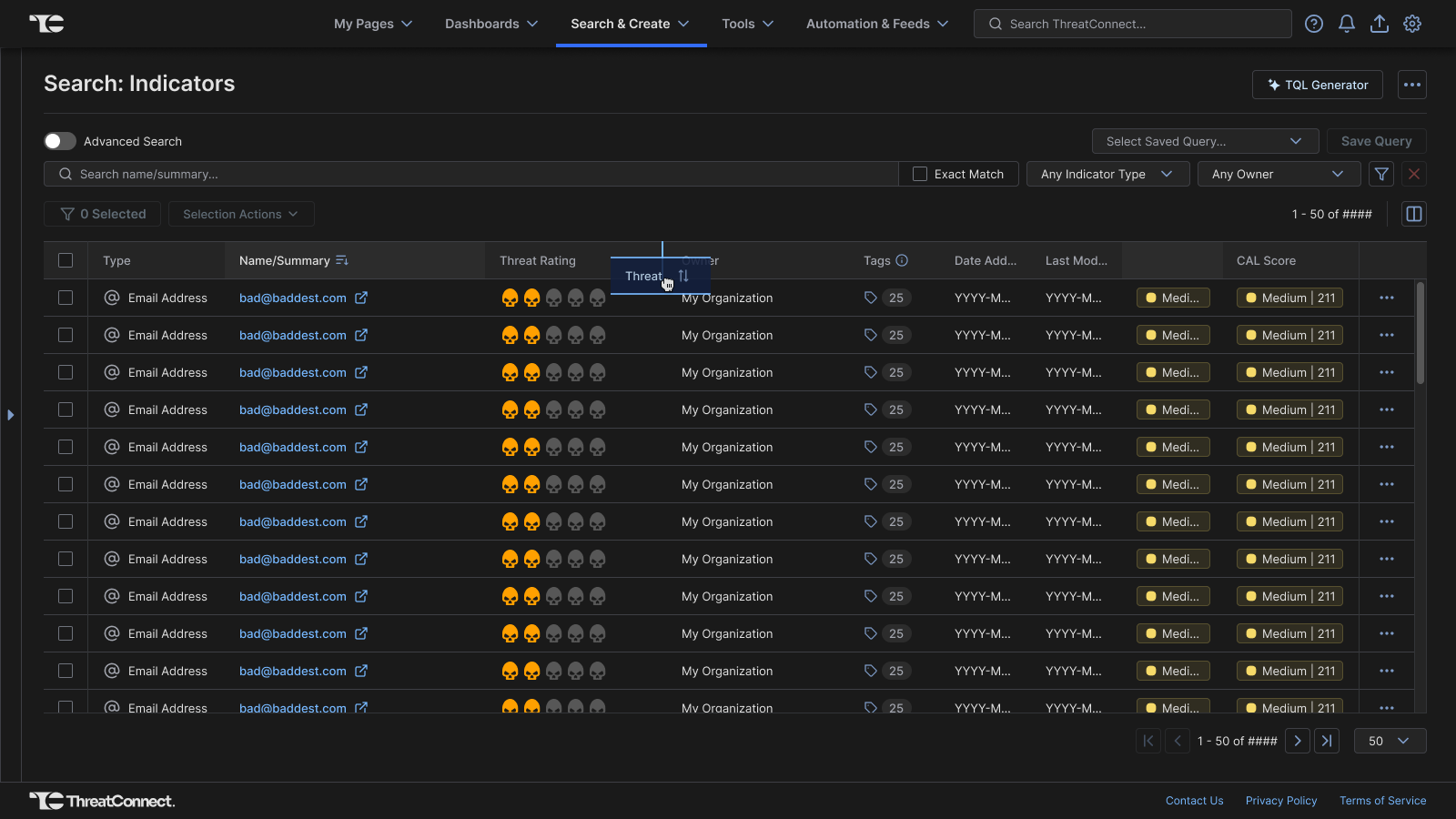
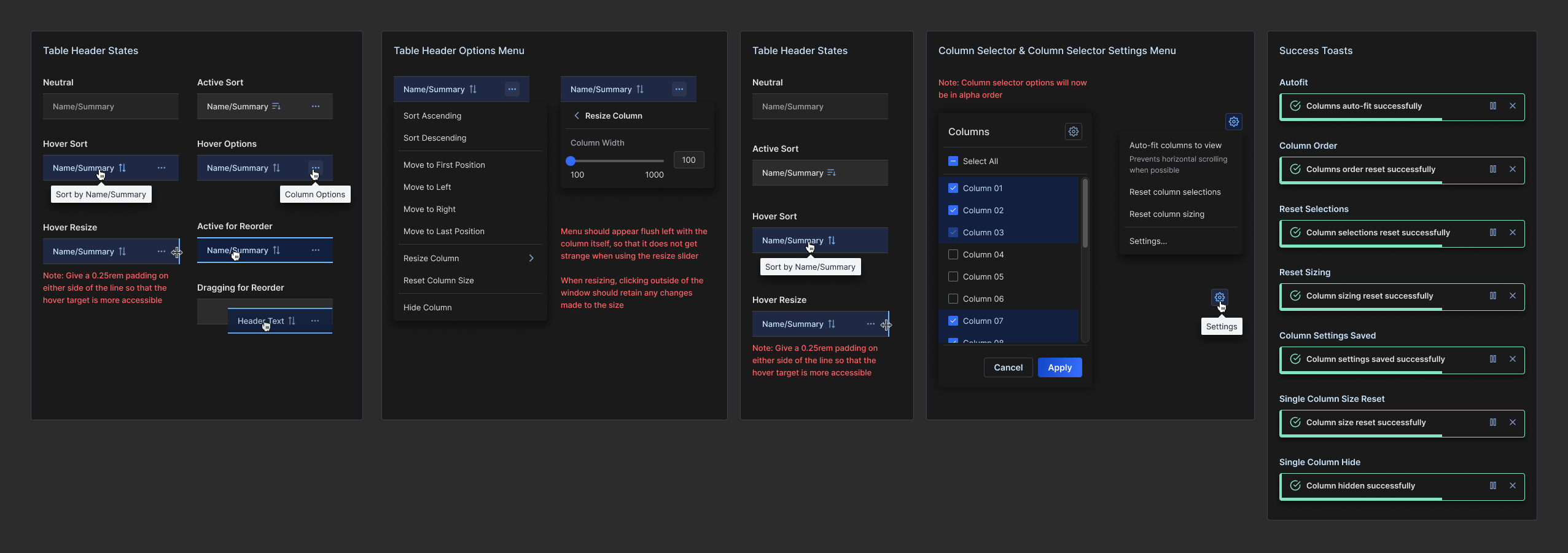
The ThreatConnect Threat Intelligence Platform (TIP) is a data-heavy environment that relies aggressively on dense tables to display threat objects. I served as co-lead designer to engineer a comprehensive table customizability framework, introducing seamless column resizing and fluid drag-and-drop column reordering. By defining default width rules by data type and establishing robust user-preferences, the design successfully eliminated UI readability issues while giving users complete data layout autonomy.
The Challenge
Making a data table customizable seems straightforward, but doing so within a highly dense enterprise application introduces extreme UX and system-level edge cases. The design had to solve complex interaction parameters: establishing minimum allowable widths by data type, preventing layouts from breaking system boundaries, making horizontal scrolling natural, and choosing exactly which anchor elements must remain completely frozen during scroll cycles.
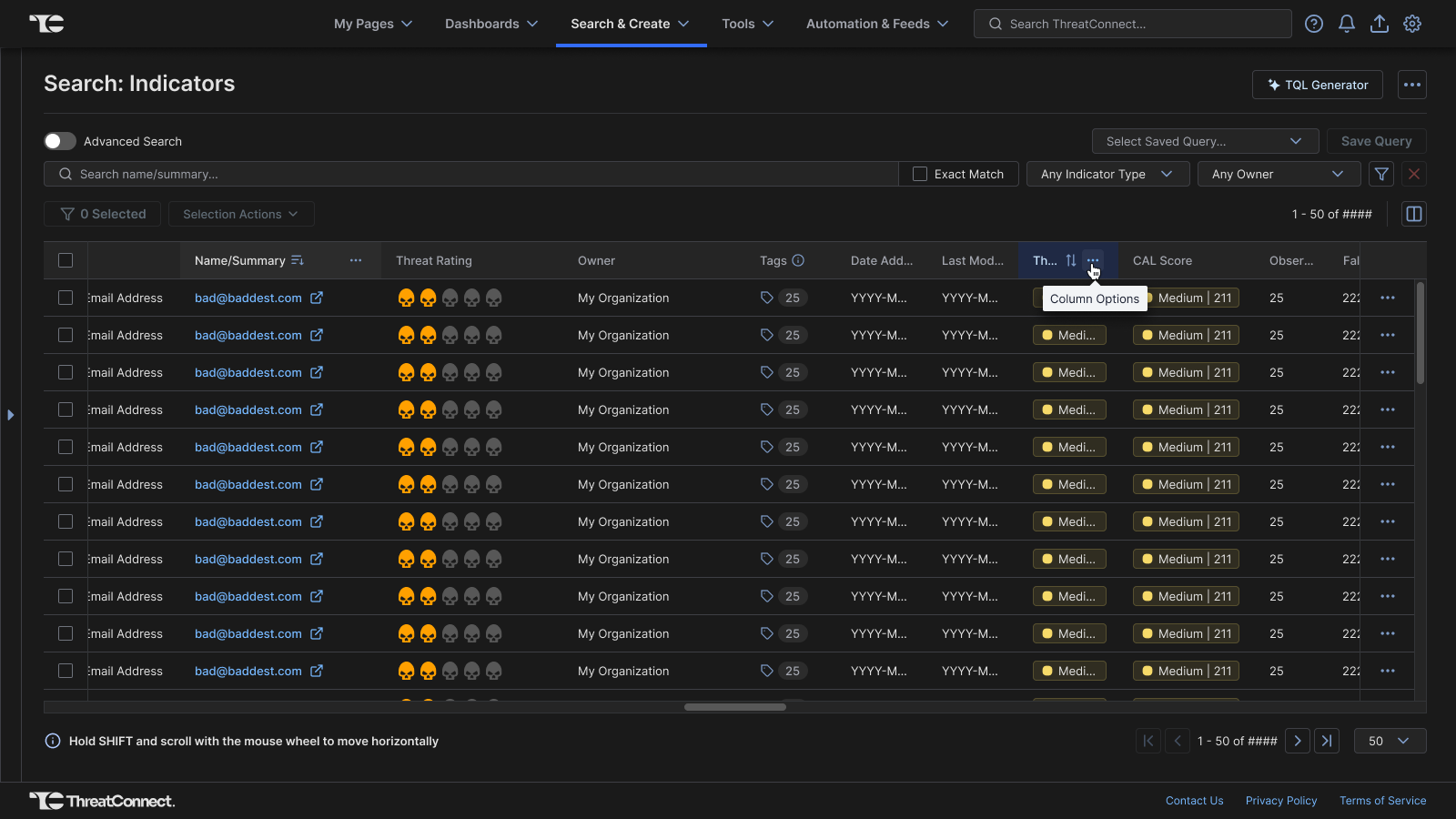
To balance flexibility with structural stability, we implemented a "bookend" strategy where the primary checkbox row selection area and the final row action areas remain frozen during horizontal scrolls and visually separating them by a vertical rule. Reordering these specific bookend columns was disallowed to maintain a stable, predictable experience.
Process & Execution
Layout State Caching
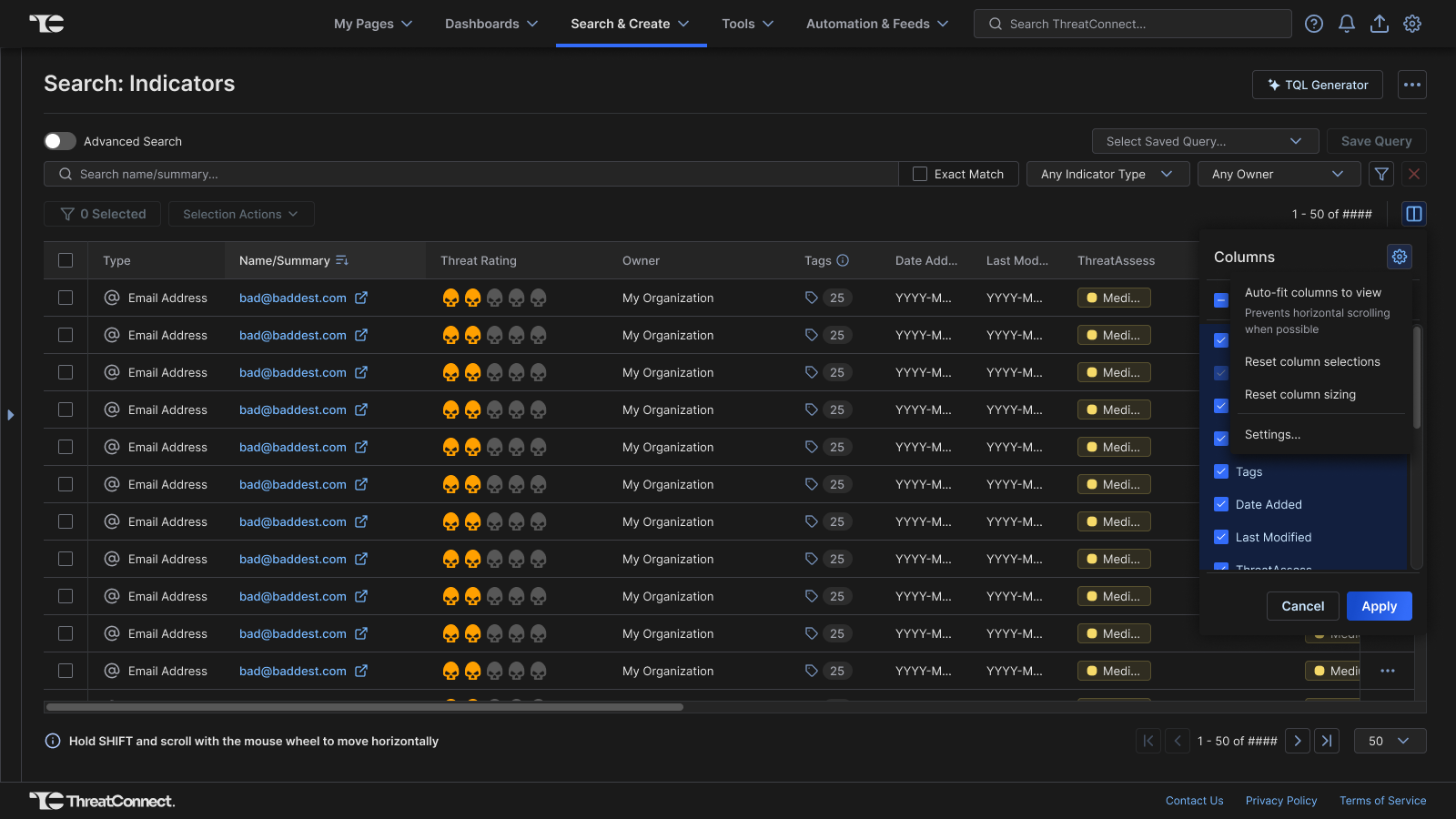
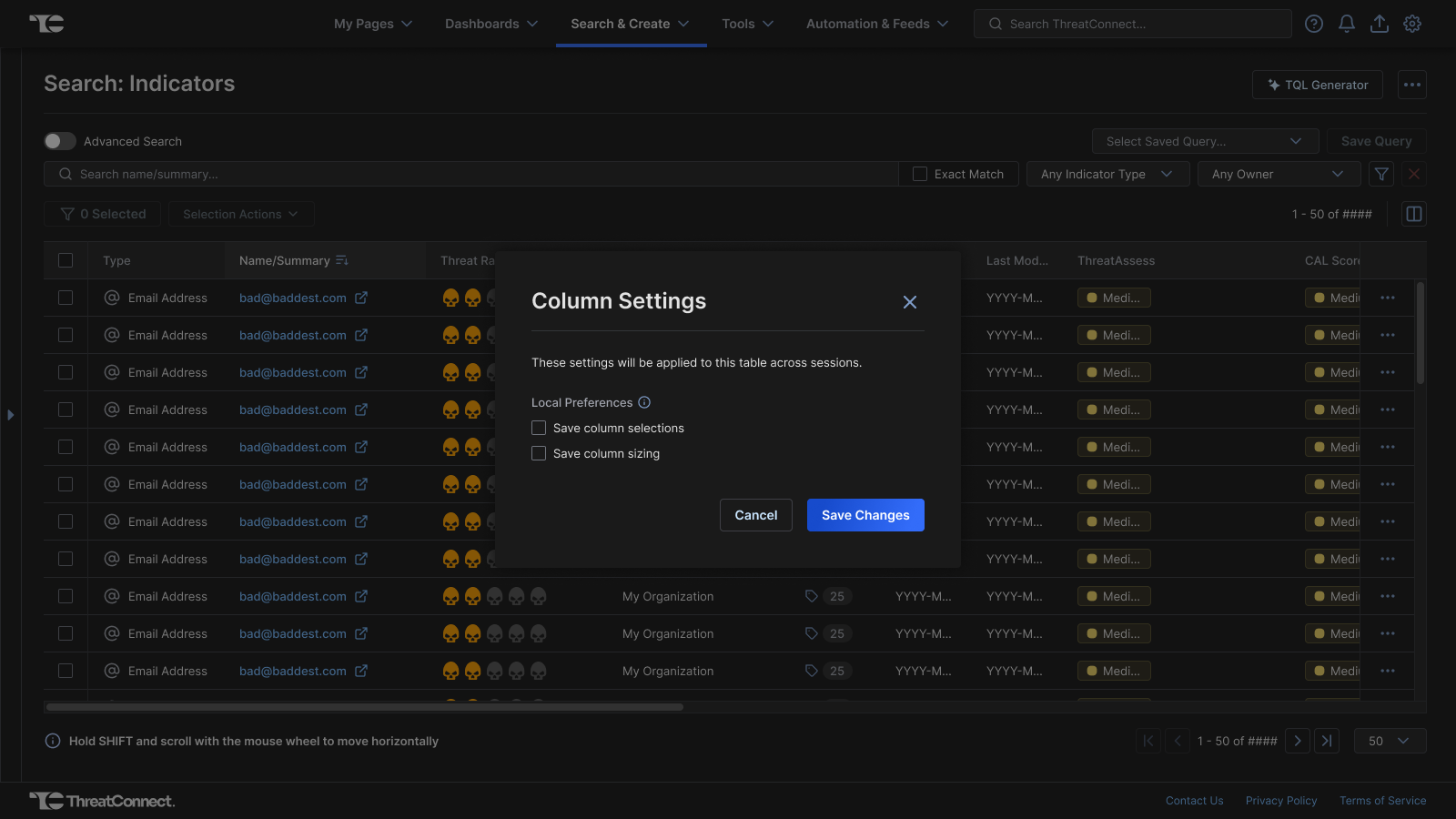
Working closely with frontend developers, we architected a robust plan to save individual users' custom column preferences per table. This framework ensures that once an analyst optimizes a table layout for their specific workflow, those preferences are cached across sessions until manually reset.
Keyboard & Mouse Accessibility
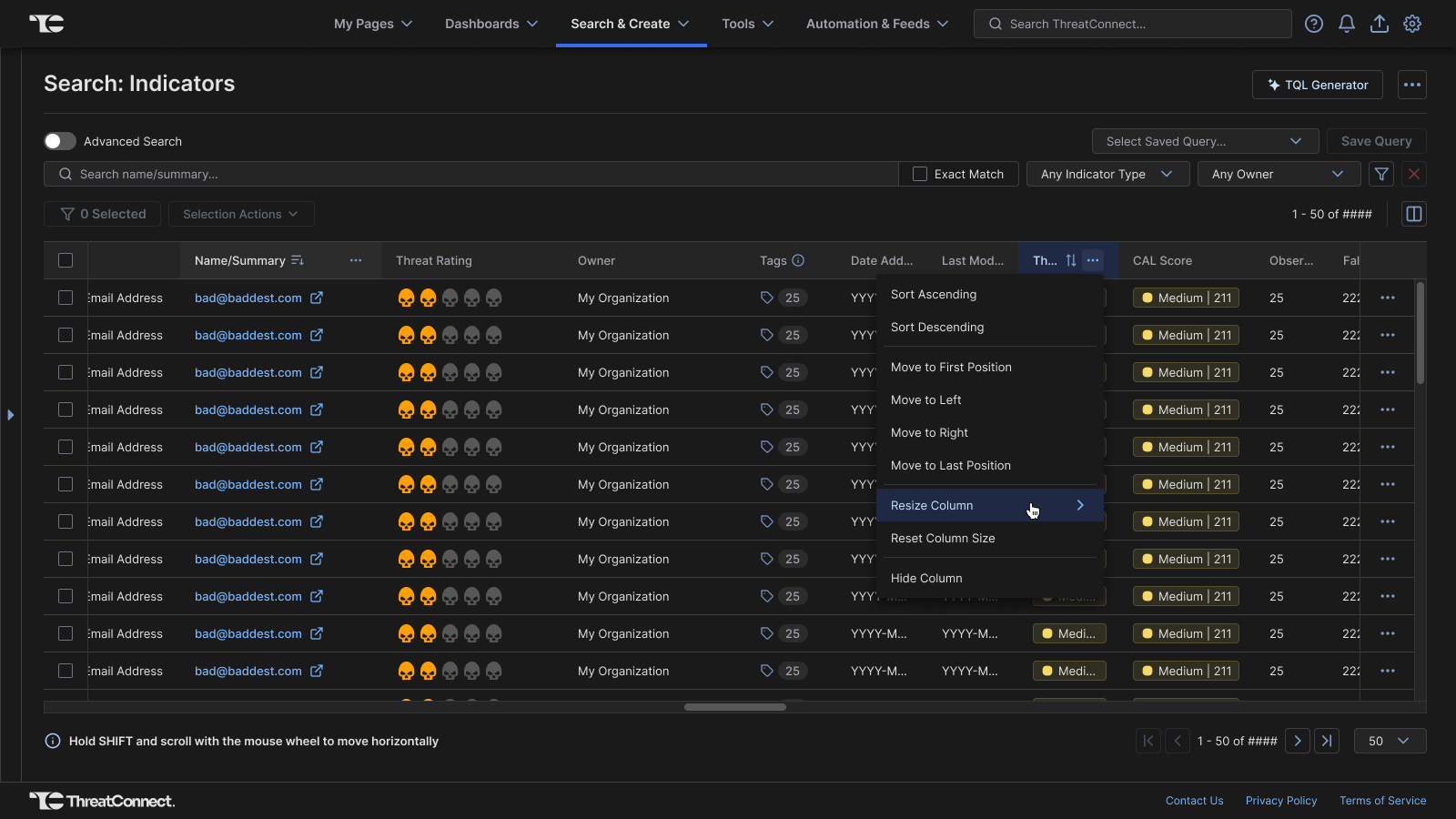
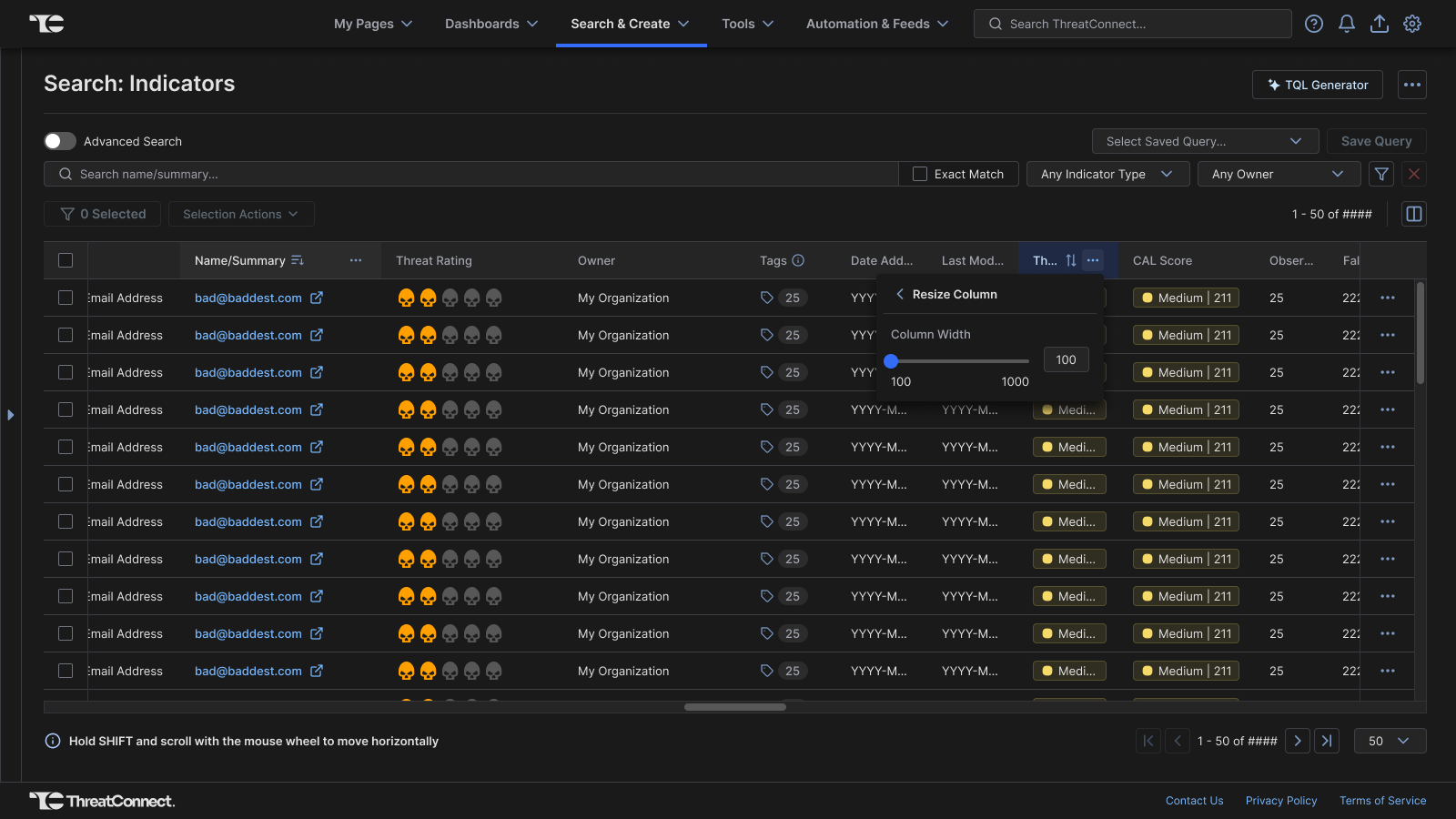
We architected dual interaction paths for both resizing and reordering to guarantee full accessibility. Users can interact dynamically via mouse-driven dragging, or use keyboard-accessible column option menus (sliders for sizing, directional commands for moving) to achieve an identical result.
Product Backlog Relief
Post launch, the number of customization requests in the backlog reduced considerably. Analysts were delighted by the customization capabilities added to the tables they interact with daily. Rolling this out on search tables first provided a repeatable, validated blueprint for scaling across remaining tables.
Back to Work List